Albania
 Argentina
 Australia
 Austria
 Belgium
 Bosnia and Herzegovina
 Brazil
 Bulgaria
 Canada
 Chile
Chile
 Colombia
 Croatia
 Czech Republic
 Denmark
 Estonia
 Finland
 France
 Germany
 Greece
 Hungary
 Ireland
 Italy
Italy
 Latvia
 Lithuania
 Luxembourg
 Mexico
 Moldova
 Montenegro
 Netherlands
 New Zealand
 North Macedonia
 Norway
 Philippines
 Poland
 Portugal
 Romania
 Serbia
 Slovakia
 Slovenia
 South Africa
 Spain
Spain
 Sweden
 Switzerland
 Turkey
 Ukraine
 United Kingdom
 United States of America



Crossovers, Loudspeaker Systems
A crossover divides the audio signal into frequency bands for the low-, mid- or high-frequency section of a loudspeaker system. A separate loudspeaker processor can add equalization, delay, polarity reversal, routing and limiting to the crossover functions. Such devices are useful for both stage sound reinforcement and fixed installations, particularly when the individual bands are powered by separate amplifiers and loudspeakers. Selection and configuration must be based on the documentation for the specific drivers, speaker cabinets and amplifiers.
Analog crossover or loudspeaker processor?
A simple active crossover provides direct control over the crossover frequency and output levels. A digital processor usually combines several system-tuning tools and allows settings to be saved, but it requires more thorough configuration. The number of functions is secondary. For touring sound systems, it is more valuable if the operator can safely create and lock the configuration, then restore it precisely at the next event.
| Solution | Suitable for | What to check |
|---|---|---|
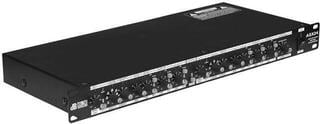
| Two-way crossover | Separating the low and higher sections of the system | Operating mode, crossover range and number of outputs |
| Three-way crossover | Separate low-, mid- and high-frequency bands | Routing, additional amplifier channels and cabling |
| Digital loudspeaker processor | Controlling multiple signal paths and time alignment | Number of inputs and outputs, software, measurement and configuration protection |
Position in the signal path
The crossover is placed before the separate amplifiers for the individual bands; its line outputs are not speaker-level power outputs. Each output must lead to the correct amplifier channel and from there to the corresponding loudspeaker. Swapping the low- and high-frequency paths can damage the driver. Therefore, label every cable at both ends and perform the first test at a low level.
If you use passive speaker cabinets with an internal passive crossover, an additional external crossover may be neither necessary nor appropriate. Active speaker cabinets may have their own built-in crossover and processing. A separate processor is particularly useful with a system designed for external control or when coordinating multiple sections. Always verify the architecture recommended by the system manufacturer.
Crossover frequency is not estimated by ear
Set the band boundaries according to the permitted range of the drivers, the speaker cabinet design and the recommended filter type. The same numerical frequency with a different slope or filter characteristic may not produce the same result. Setting the high-frequency crossover too low can expose the driver to energy it was not designed to handle. Therefore, do not search for the crossover frequency through random trial and error at high volume.
Level, polarity and time alignment
After splitting the signal, the bands must be balanced and their interaction in the crossover region checked. Reversed polarity or an unsuitable delay can cause cancellation where the bands overlap. Digital delay is also used to time-align physically separated sections of the system, but the correct value requires knowledge of the geometry and ideally measurement. Do not use someone else's preset merely because the speaker cabinet name looks similar.
A limiter protects only when correctly designed
A limiter in a loudspeaker processor can restrict the level, but its threshold and timing behaviour must take account of the amplifier, sensitivity and permitted power handling of the loudspeaker. An incorrectly configured limiter may engage too early or leave the system without the expected protection. If you need separate dynamics control, see dynamics processors. Have the protection settings verified by someone familiar with the specific system and measurement method.
Equalization does not fix every system fault
A processor can correct part of the frequency response, but it cannot remedy unsuitable speaker cabinet placement, an incorrect crossover configuration or an acoustic problem in the room. When measuring, use a reference signal and assess multiple positions across the listening area. Rack equalizers provide separate frequency adjustments, while a digital system processor can combine them with crossover and delay functions. Choose a separate equalizer or an integrated processor according to the signal routing and which settings the operator is permitted to access.
- Choose the number of inputs according to the separate source signal paths.
- The number of outputs must cover all bands and zones that you control separately.
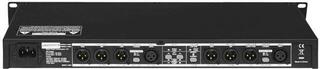
- Check the connector type, operating level and balanced signal connections.
- For computer control, verify the supported operating system and whether basic operation is possible without the computer.
- Back up the completed preset, name it after the system and protect it against accidental overwriting.
Initial setup step by step
- Draw the signal paths from the mixing console through the processor and amplifiers to the individual drivers.
- Disconnect or mute the power outputs and configure the routing according to the system documentation.
- Check the crossover filters, levels, polarity, delay and limiter without a loud signal.
- Connect the labelled outputs to the correct amplifier channels.
- Start the system at a low level and check each band separately.
- Only then perform measurements, fine-tune the system and save the final preset.
When to choose a complete system
If you do not want to design the crossover, amplification and protection for the individual bands, a manufacturer-matched complete sound system or an active system with recommended processing may be more practical. A separate crossover allows you to design the system in greater detail. This comes with responsibility for routing, crossover filters and limits. When expanding an existing sound system, always verify that the new component is compatible with its voltage levels and architecture.
For rack installation, measure the height in rack units, mounting depth and space for cable bends. Route the power supply so that connectors cannot be pulled out accidentally, and prevent unauthorized changes to the preset before a public event. Supplement the configuration record with a cabling diagram and amplifier channel labels. Thanks to the diagram and saved settings, the processor will remain a controlled point in the signal path for subsequent operators as well.